
Projects for volunteer coordination
If you’re running a large volunteer operation you certainly have communication issues. We think Avalanche can help, and the following things are all implementable in Avalanche today using the projects API:
Filling a schedule
Let’s say you have a form with the following question:
What are you interested in working on?
- Cooking
- Cleaning
- Setting up the venue
- Sign-making
And let’s say you need something like 70 cleaners—ideally 10 per day over 7 days.
Before Avalanche, you might a) do everything manually or b) write a program to read the form responses and do a first pass filling out the schedule: just assign names to slots one at a time. But then you have to confirm with each of those people that they can actually make the schedule slot they’re assigned to. Filling out the first pass isn’t particularly hard—it’s the checking and confirming that’s hard. Each person may have constraints, like they’re arriving on Thursday but they haven’t told you that in the sign-up form, or they won’t take a shift if Mallory is also on it, or they changed their mind and don’t really want to clean today. So it’s a good idea to text all of them and get them to confirm, but with 70 people, the amount of work it will be to actually get those people’s assignments settled, making changes as needed.
With Avalanche, you can write a bot to fill the schedule and confirm it. It can make a first pass based on the above algorithm, then text everyone with a ‘confirm?’ request. If they have changes they can respond with their constraint and the bot can make swaps to take it into account.
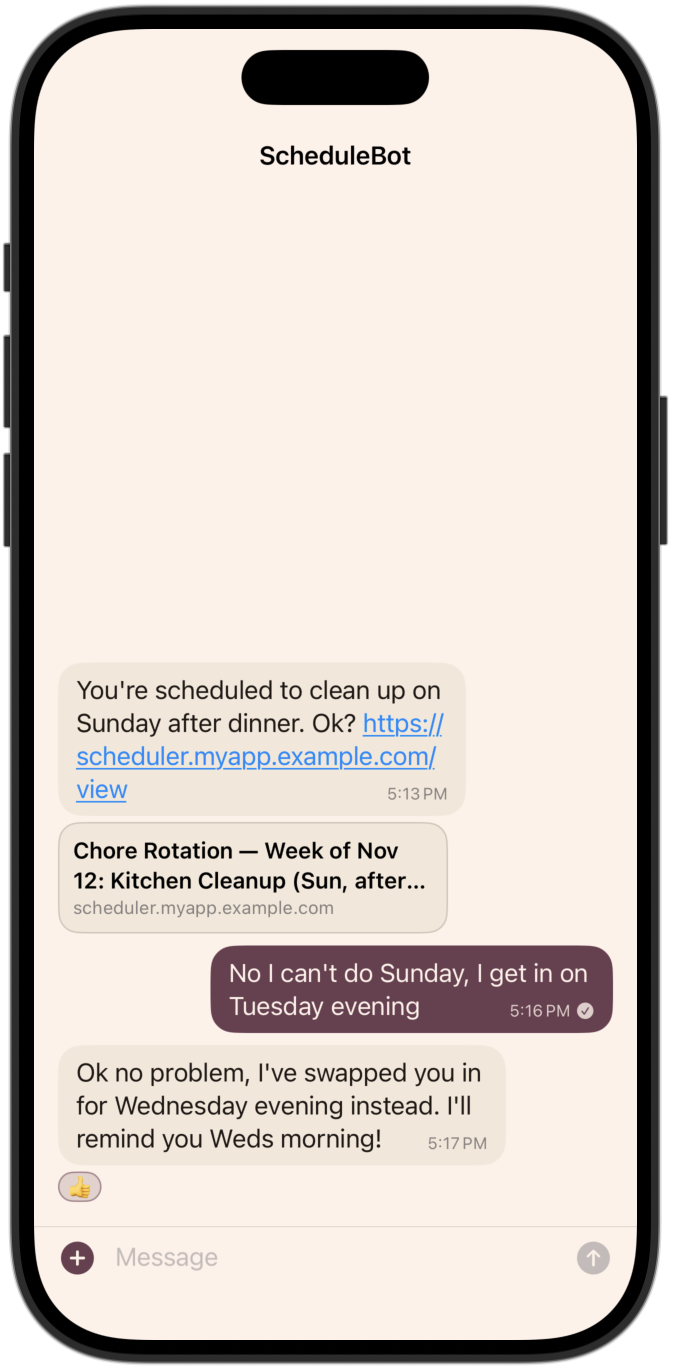
The bot can be programmed however you like. It’s not hard to build these sorts of things with AI. It might be hard to make it ultra-reliable, but if there’s a manual override then it doesn’t need to be ultra-reliable, just reliable enough to save you a bunch of time.
Followups & chase
Sometimes you just need to text everyone and get them to give you a specific answer to your question, and you specifically need everyone to respond one way or another. Without Avalanche, you can ask for a poll or have everyone react to a message, and then you manually have to go and check who has reacted and who hasn’t. You then send them a message individually.
With Avalanche, you can write a bot where you tell it, “Hey, make sure we hear a response from everyone on this question by next Sunday. What T-shirt size are you?” and then you give it the question. It will send out the announcement, wait a few days (however long you want), and then text everybody who hasn’t yet responded to say, “Hey, ping on this message? We need you to respond to this by Sunday.”
Structured data
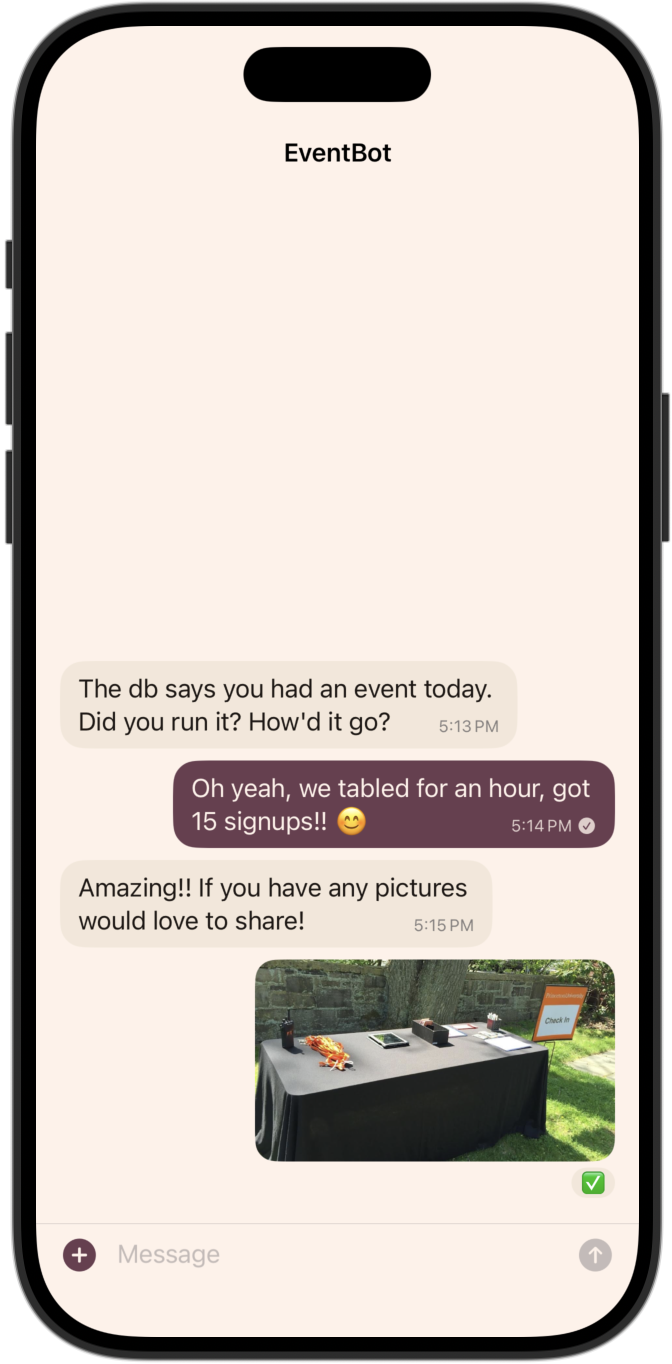
Maybe you know an event is supposed to be happening in another city today but you haven’t heard anything. Before Avalanche, you might text the the organizer and say, “Hey, did that happen?” and then they’ll say, “Yeah, it happened. Here’s a picture,” and then you download the picture and upload it into your database. With Avalanche, you can have a bot text the person automatically at the scheduled time, they respond with photos, and those photos could be automatically incorporated into the database.
Future: calendar invites
The obvious next step is fleshing out calendar integrations. Avalanche will certainly need some kind of calendaring features but we’re not sure what yet.
At the start we can do some things that are reasonably cheap and may be good enough:
-
At the native layer we can add a lightweight support of one-off event invitations, sent via DM or group chat. Just like email, I think the simplest way is to render messages with calendar-type attachment (an ics file) a bit more richly than normal, showing a calendar invitation where you can click yes/no/maybe. That reply is tallied publicly (essentially it uses the emoji-reactions subsystem) and the organizer can see who’s going by looking at who “reacted”.
-
At the project layer, we can do any number of things: emailed calendar invitations, a personalized schedule export calendar feed, and (if necessary) provider-native APIs with OAuth. The emailed version is for infrequent things that aren’t likely to change; the calendar export feed is best for long-lived feeds; and the API version is needed for something like a personalized conference schedule sync with many frequently-updated events.
Regardless, there’s a decent number of options and I think these options nudge me away from building any native in-app calendar feature. But please reach out if these seem like they will or won’t do the trick; I certainly want to learn if something else will be needed.