Late June Update: iOS alpha
I’ve made a lot of progress and now have an alpha iOS build. Contact Lincoln if you want to try it out.
iOS
Until now we’ve had an iOS-only strategy. The reasoning behind that is simply that iOS is my (Lincoln’s) personal platform: I have an iPhone and I prefer developing on iOS, so when I wanna move fast I’m going to build what I know. It’s much simpler to build one platform at a time and then copy that work to another platform (especially with Claude), versus trying to add features and fix bugs on two platforms simultaneously.
However I recognize that we need both iOS and Android at a minimum (and we have planned for a desktop version in the works as well!) So this early alpha version isn’t that useful until we have at least Android to talk to people who aren’t on iOS.
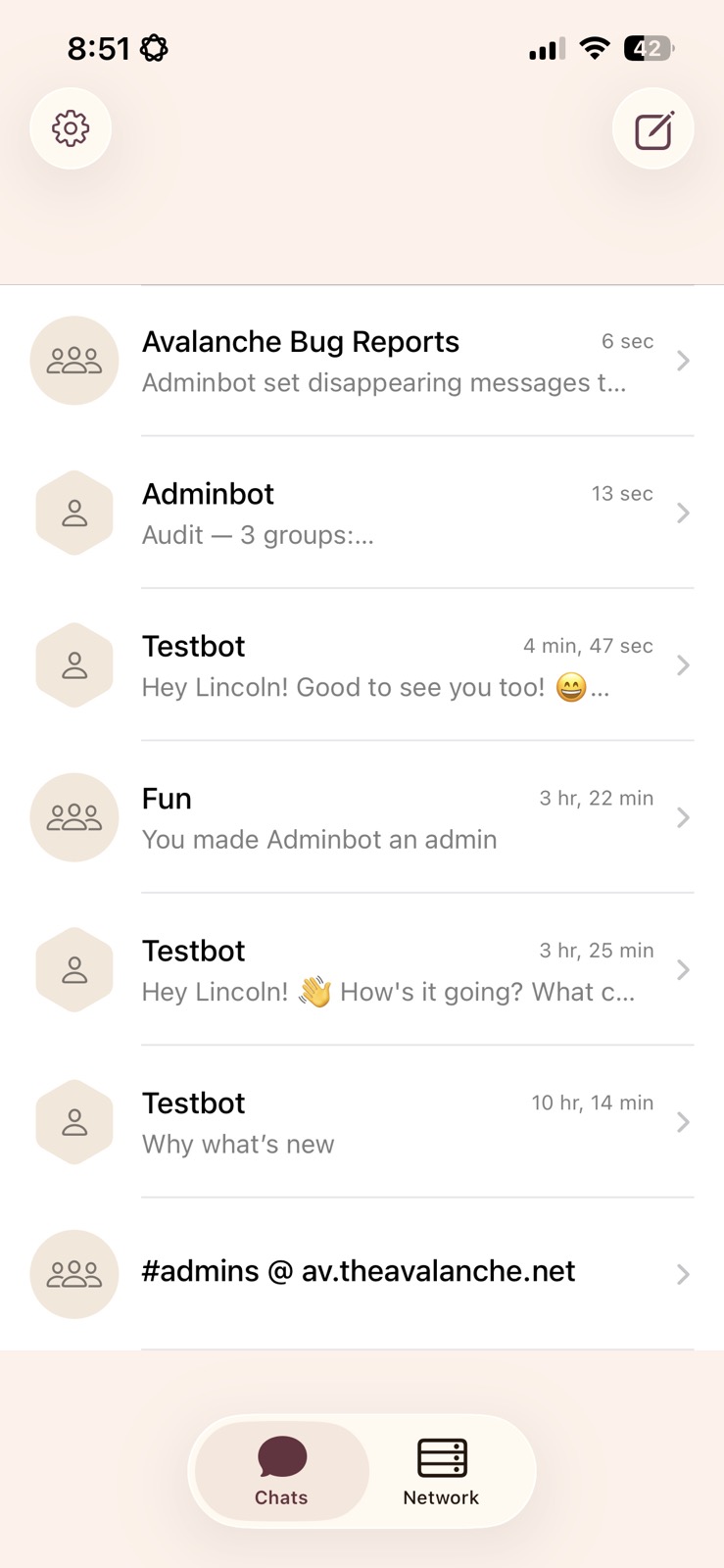
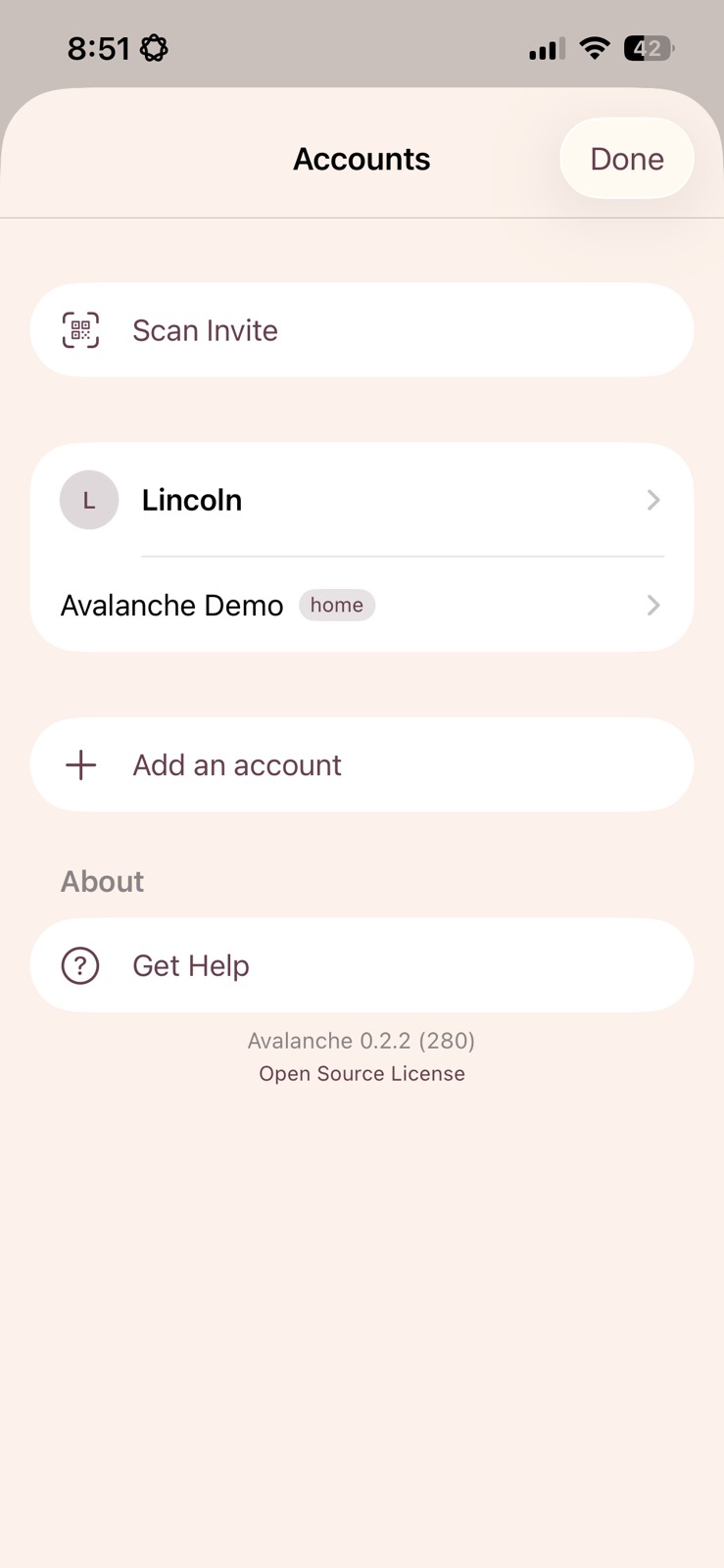
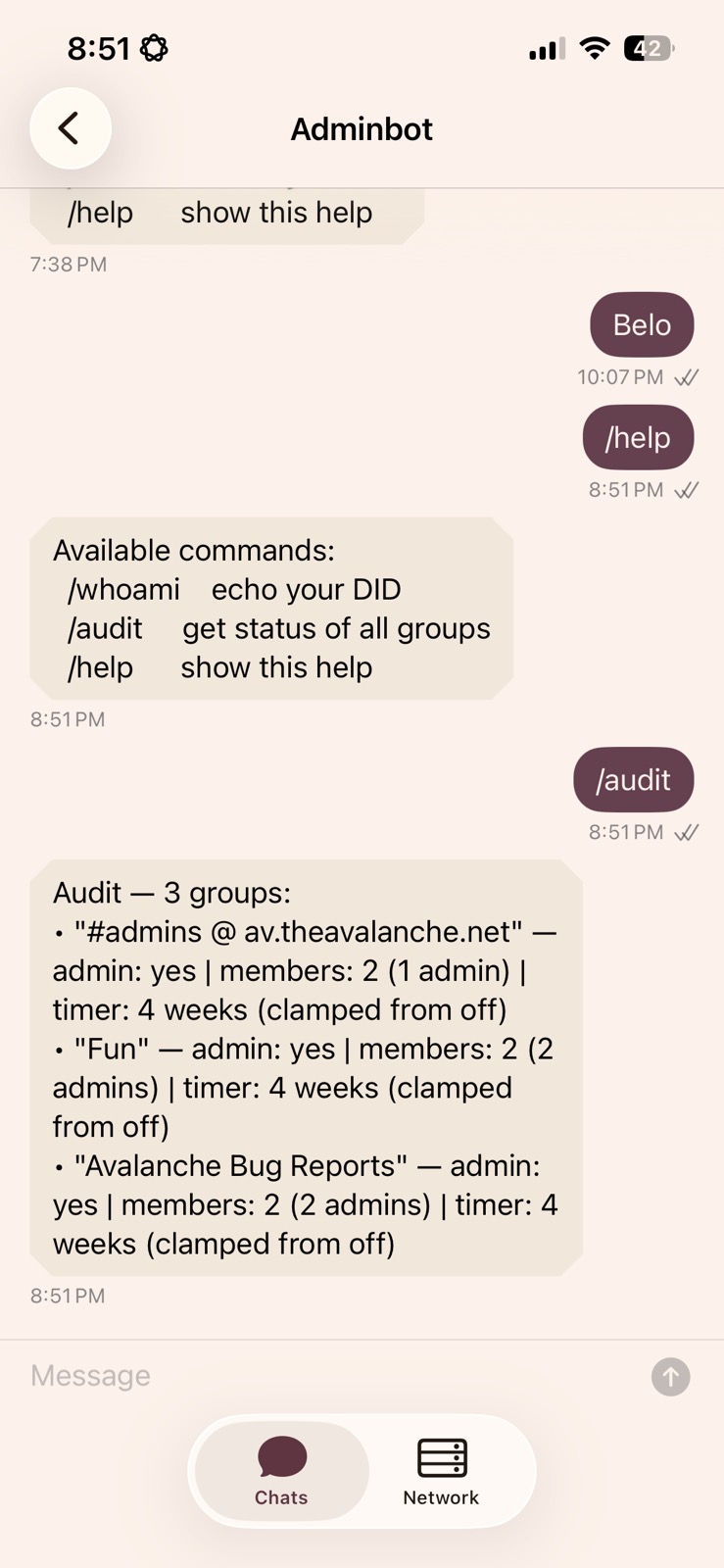
But the iOS app is looking pretty snazzy. Check it out.
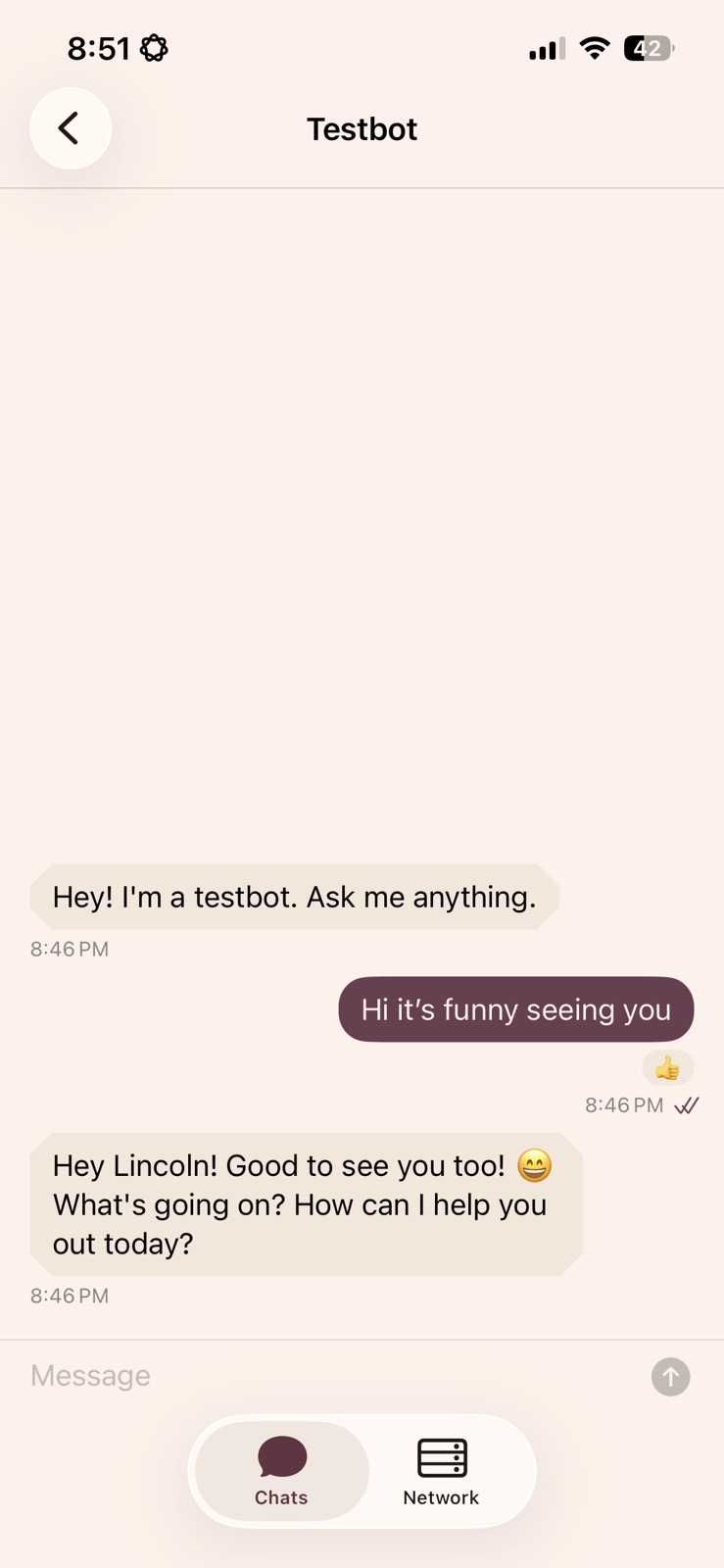
Slowly getting to feature parity
Over the last couple of weeks I’ve been making sure that the app has the basic things you would expect from a messaging app:
- emoji reactions
- disappearing messages
- creating groups and editing group members (and updates when those things happen)
- a “disconnected from the server” indicator
Some things which won’t be too difficult to add (but aren’t quite in yet) include:
- link previews
- images, voice notes, other attachments
- replies
- read receipts
- account deletion
Projects framework
A big focus of the last few weeks has also been actually fleshing out all of the ways that bots and projects will integrate with the core of Avalanche. Basically there are two main hooks: bots and web pages.
Bots
Bots basically act like regular users: they’ll connect to your Avalanche server; they can get messages and they can respond to (or edit) messages, they can add people to groups, kick them, change group settings and so on.
As an initial demo I have designed a bot called the Adminbot. I want to make sure that, at a minimum, the Avalanche framework provides everything that Adminbot needs to do. Basically, Adminbot’s job is to sit in all of your channels and it’s going to invite new users automatically to every channel that it has permission to add them to. And that’s implemented now, hooray.
Bots have a visual indicator in the app: as you can see above, DMs with bots have an angular instead of circular avatar frame, and bot messages all have angular message bubbles. (the latter is quite subtle right now and probably needs to be a bit more obvious!)
Web pages and links
Projects are separately hosted services that can integrate with Avalanche. Projects will often host a web page to render their own UI. To make integrations more seamless, we’ll authenticate the user to the project when they click links from inside Avalanche. Currently this is implemented in the Network tab of the app: if you click on a project from that tab, that project knows who you are. (The “testbot” that I implemented demonstrates this: it is able to send you a message without any further questions.)
Eventually projects will also have the ability to authenticate the user via any link to that project, which makes it very easy for projects to do whatever they need on a per-user basis. So if we make, e.g., an “event RSVP” project (think Partiful or Luma), and you post that event to an Avalanche group, your users don’t need to say who they are once they land on the RSVP page – the project will already know, so the user just says ‘Yes’ or ‘No’.
Message extensions
Planned, but not implemented yet, are ways to extend the message screen: If, for example, you want to send an animated GIF, you just press the plus button and a ‘GIF Search’ tool is visible in the pop-up menu that appears. That GIF search tool is not built into Avalanche at the core, instead we would build it as an optional add-on thing.
Same for an event tool: you’ll press plus, choose ‘Create Event’, then you set up an event and when you’re done it inserts that event into the message for people to RSVP to.
Or, similar idea but with message-specific context: you long press on a message, and want to create a task from a message, or create a calendar event based on a message.
Anyway, much of this is planned, but not much is built yet. If your project demands it then we’ll prioritize it so let me know.
Infrastructural planning
Another sizeable bit of work since last update has been thinking ahead about all the different features that we’re going to add, especially things that don’t already exist in Signal or things I want to do differently. That has been a lot of thinking and I have written down a lot of ideas. They are kept in the docs folder of the repo.
Threading
I want Avalanche to have really good support for long discussions. I think that we have to think hard about the threading model in order to support long discussions well.
I am currently inclined to do threading differently than Signal. Signal has what I’ll call “flat replies”: when you reply to a message, the reply always goes directly into the same channel as the message itself. There’s no hierarchy, the reply just “quotes” the original message.
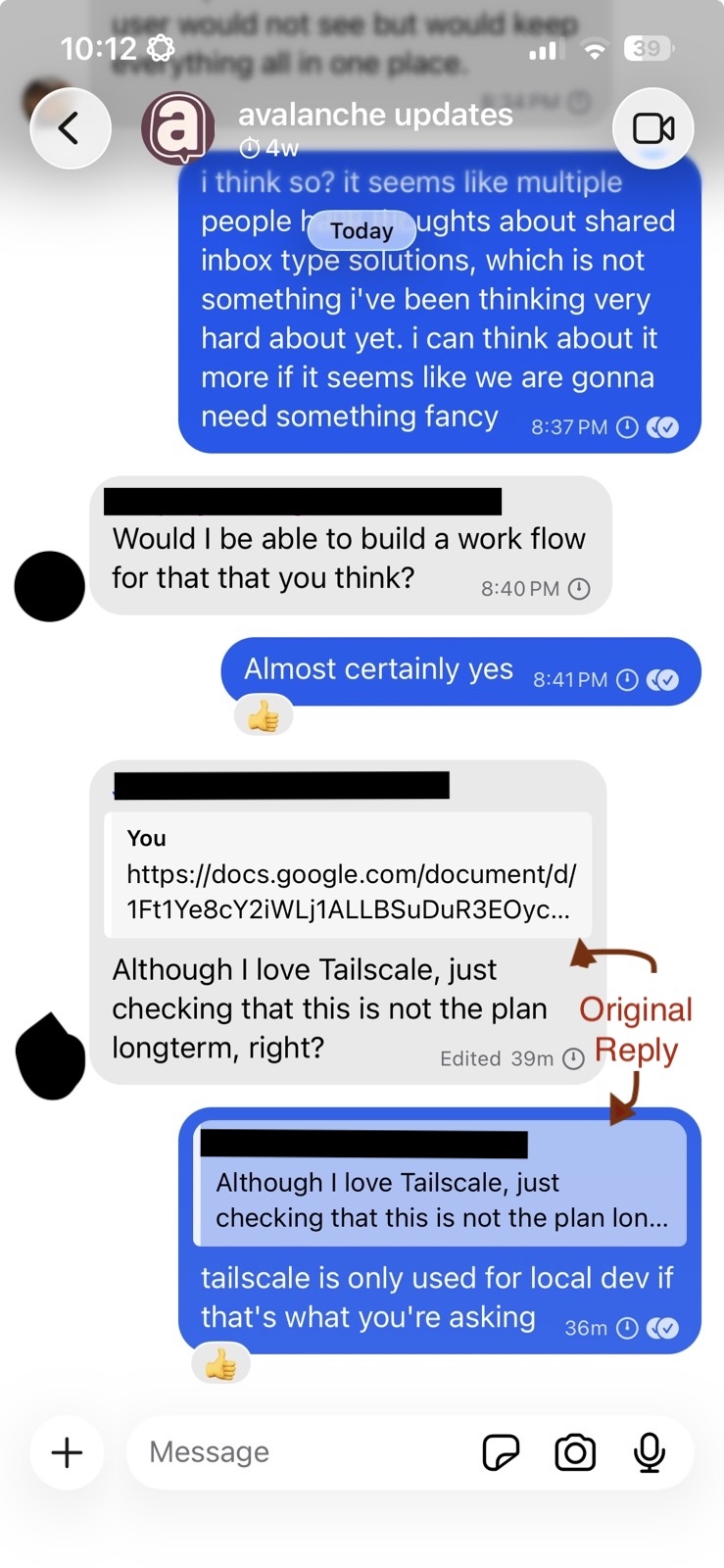
Slack has a different model, “threaded replies”: When I reply to a message in Slack, it essentially appears under the original message, under a sidebar, so it’s hidden by default. You have to click on that message in order to view the whole thread. One of the subtleties of Slack is that when you reply to a thread, you also have the option to check a box to post the reply back to the main channel as well. And I think that actually works pretty well. I’m not confused when I see a message posted back into the channel, and it is easy for me to go view the rest of the thread right there.
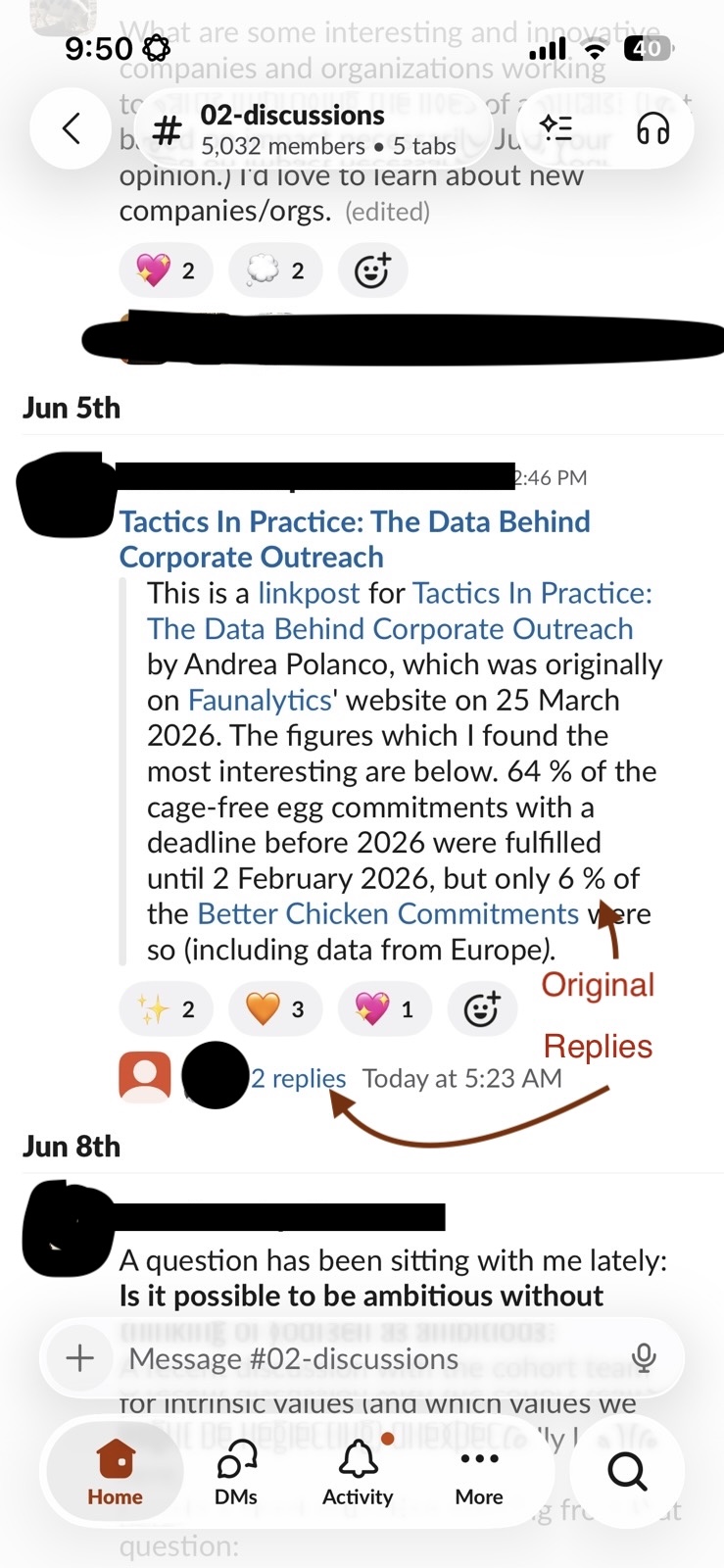
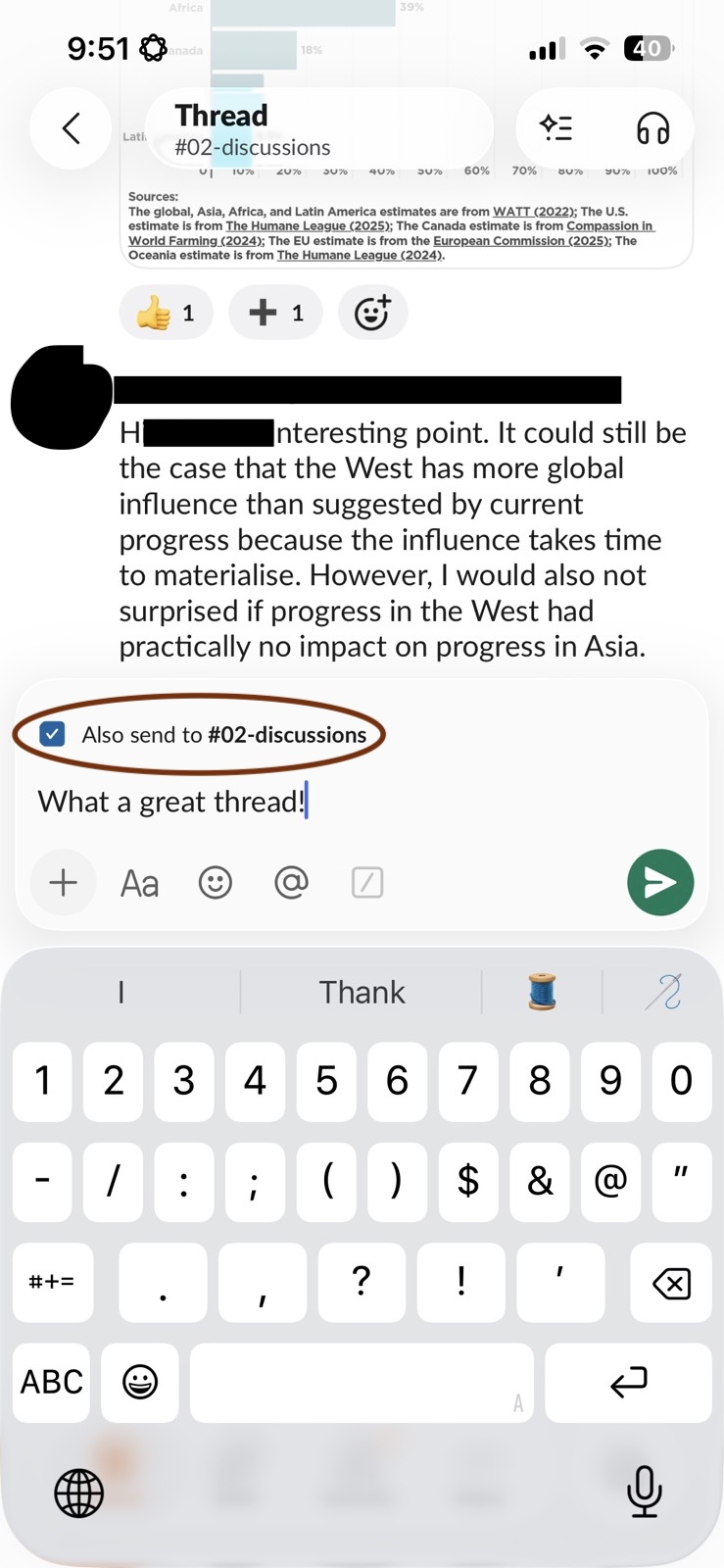
My plan for Avalanche is to mostly do the Slack model—threaded replies—but default that Slack-style checkbox (“also send to the group”) on a channel-by-channel basis. Small channels will default to also-send ON, and they’ll work like Signal groups and DMs. Large channels, when they get unwieldy, will flip that default OFF; users can still post the reply back to the main channel but that won’t happen by default and it will naturally sequester arguments into a place where they’re not annoying everyone else.
Feedback on this plan is welcome.
Other things I’ve done recently
I talked a little bit about the plan for identity management in my last post. As of now that’s mostly in place: the app lets you add another server for your identity or create a new identity pretty easily.
What I didn’t talk about was multi-device, which is going to be essential as soon as we have a desktop app because you’ll want to be signed in on both your phone and your desktop at the same time. This is going to be a bunch more work but I’ve made good progress on it. In particular I’ve put a decent amount of time into the storage framework, which is a major way that all of your devices will synchronize shared state with each other. Like everything else we do, the storage system is end-to-end encrypted.
I invested in my release management infrastructure, so the server software can be installed on a new server or upgraded to the latest release quite easily.
And I just fixed a bunch of bugs.
Looking forward
Okay so what’s next? Well I’d really like everyone to be able to try the product so Android is a very high priority at this point and I’m going to be spending time on getting that in shape. I’m really hoping and expecting it can come through quickly, because it’s a pretty straightforward code translation project; but we’ll see!
I intend to submit the iOS app to the App Store so it’s easier to test (right now I have to add you to a private testing list), and we’ll see what feedback they give.
I am seeking input from organizers (ideally once they’ve used the product and have a feel for it!) about what features or integrations you’re expecting to need for your group.